The 7 Stages of ERPNext Implementation: A Step-by-Step Guide for Businesses
Most ERPNext projects that struggle do so because they skip stages, rush through them, or treat them as formalities. This is a clear, honest walkthrough of every phase — what happens, why it matters, and what goes wrong when it is done poorly.
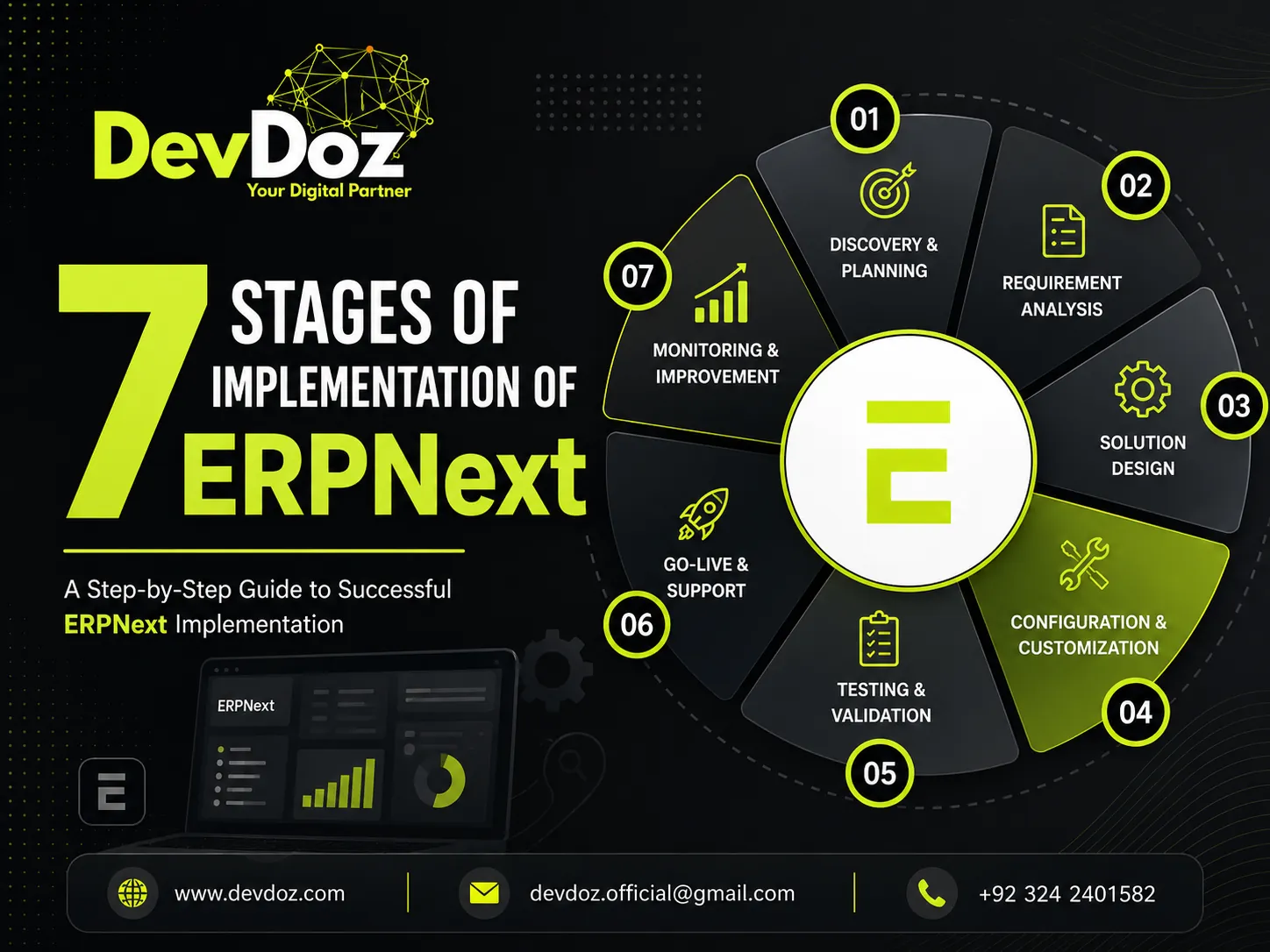
Most ERPNext projects that struggle do so because they skip stages, rush through them, or treat them as formalities. This is a clear, honest walkthrough of every phase — what happens, why it matters, and what goes wrong when it is done poorly.
There is a version of ERP implementation that gets sold in brochures: a smooth, linear journey from messy spreadsheets to a unified, humming system, completed on time and on budget. Then there is the version that most businesses actually experience: something that starts well, gets complicated in the middle, and either recovers through discipline or limps to a go-live that leaves everyone underwhelmed.
The difference between those two outcomes is rarely about the software. It is almost always about the process. ERPNext is capable enough to run the operations of a complex business well. What determines whether an implementation succeeds is whether the right work happens in the right order, with the right people involved at each stage.
This guide walks through all seven stages of a properly structured ERPNext implementation — what each one involves, what the common failure points are, and what you should be asking your implementation partner at each step. If you have ever wondered why ERP projects go wrong, our companion article on why most ERP implementations fail covers the root causes in depth.
Stage 1: Discovery and Requirements Gathering
Every implementation decision made in the following six stages is only as good as the understanding developed in this one. Discovery is where you build the foundation — and if it is rushed or treated as a box-ticking exercise, everything built on top of it will be unstable.
The goal of discovery is to develop a shared, documented understanding of how your business actually works today, where the pain points are, and what the system needs to do after go-live to be considered a success. This sounds straightforward, but it is almost never as simple as it seems. The way a process is documented in a procedure manual is rarely how it is actually performed by the people doing the work. The gap between the two is where implementation surprises come from.
What good discovery looks like
A thorough discovery phase involves structured interviews and working sessions with representatives from every department that will use the system — not just senior management, but the people who perform the day-to-day tasks. It maps current workflows in enough detail to understand the inputs, outputs, exceptions, and hand-offs at each step. It identifies the specific problems the business is trying to solve and translates those into measurable success criteria: what does the system need to do, for which users, with what level of reliability, for this implementation to be judged a success?
The deliverable from discovery is a scope document — a written, agreed description of what will be built, what will not be in scope for go-live, and what will be addressed in a post-go-live roadmap. This document is the single most important artefact of the entire project. Everything that follows is a decision to either honour it or deviate from it.
What goes wrong
The most common failure in this stage is speed. Clients want to start building, and implementation partners sometimes accommodate that impatience. A discovery phase that is compressed to a few days of calls, or that only involves the management layer rather than the operational teams, will produce a scope that looks complete but has significant gaps. Those gaps become expensive discoveries during testing or, worse, after go-live.
Stage 2: System Design and Architecture
With the requirements documented and the scope agreed, the next stage is translating that understanding into a system design. This is the stage where decisions are made about how ERPNext will be configured to reflect your specific business — which modules will be used, how they will connect, what custom workflows and fields are required, and how the system will integrate with any external tools that are staying in your technology stack.
Module selection and configuration planning
ERPNext covers a wide range of business functions: accounting, inventory, purchasing, sales, manufacturing, HR, payroll, project management, and more. Not every business needs every module at go-live, and activating more than you need adds complexity without adding value. Part of the design stage is making deliberate decisions about which modules are in scope, which will be configured later, and which are not relevant to your business at all.
For each in-scope module, the design stage produces a configuration plan: what the chart of accounts will look like, how item groups and warehouse structures will be organised, what the approval workflows for purchase orders and expense claims will be, which reports are needed and how they should be structured. These decisions are made on paper before any configuration work begins — because changing your mind about a warehouse structure after you have configured receiving workflows against it is expensive.
Integration architecture
Most businesses run ERPNext alongside at least one other system — a point-of-sale terminal, an e-commerce platform, a third-party logistics provider, or a payment gateway. The design stage maps these integrations: what data flows between which systems, in which direction, at what frequency, and what happens when a sync fails. Frappe's webhook and REST API support makes these integrations technically straightforward in most cases, but the design work of specifying them precisely is not optional.
Custom development scoping
ERPNext covers the majority of standard business workflows out of the box. Where your business has genuinely non-standard requirements — a billing model that does not fit standard invoice structures, a manufacturing process with unusual routing requirements, a regulatory reporting obligation with a specific format — custom development may be required. The design stage identifies these requirements clearly and estimates the development effort, so they are budgeted and planned rather than discovered mid-project.
Stage 3: Data Migration Planning and Preparation
Data migration is consistently the most underestimated stage of ERP implementation, and the consequences of underestimating it are some of the most painful problems an implementation can produce. A business that goes live on ERPNext with clean, accurate, well-structured data is in a fundamentally different position than one that goes live with the contents of its old system dumped in without proper preparation.
What data needs to move
The core data entities that need to migrate to ERPNext typically include customers, suppliers, items and item groups, chart of accounts, opening balances, inventory stock levels and valuations, and — depending on how far back you want history — historical transactions. Each of these has its own complexity. Opening balances need to be agreed with your accountant and reconciled against your last set of accounts. Inventory valuations need to match a physical count taken close to the go-live date. Customer and supplier records need to be deduplicated and verified.
The data audit
Before any migration work begins, every data entity in scope needs to go through an audit. This means defining what a valid record looks like — what fields are mandatory, what format they need to be in, what values are acceptable — and then running your existing data against those standards. The result is usually a list of problems that need to be resolved before migration: duplicate records that need to be merged, missing fields that need to be populated, values in inconsistent formats that need to be standardised.
This work takes time, and it requires involvement from the people who understand the data — the accounts team who can identify which supplier records are duplicates, the warehouse manager who knows which inventory figures are reliable. It cannot be done by the implementation partner alone, because the knowledge required to make judgment calls about your specific data lives inside your business.
According to research from Panorama Consulting, data-related issues are among the most frequently cited causes of ERP implementation difficulties. Starting this stage early — ideally in parallel with Stage 2 — is one of the most reliable ways to protect your go-live timeline.
Stage 4: Configuration and Development
This is the stage that most people picture when they think about ERP implementation — the technical work of actually building the system. Everything in the previous three stages has been preparation for this moment, and the quality of that preparation is what determines whether this stage goes smoothly or becomes a series of surprises.
Core configuration
Configuration in ERPNext means setting up the system to reflect your business structure and workflows: creating your company and legal entities, building your chart of accounts, setting up warehouses and cost centres, configuring item groups and item attributes, defining user roles and permission levels, and setting up the document types — purchase orders, sales invoices, stock entries — that your team will use daily.
Good configuration is done incrementally and tested continuously. A common mistake is to configure everything before testing anything, which means problems are discovered all at once during the testing stage rather than being caught and corrected as they arise. The better approach is to configure a module, test it with realistic scenarios, adjust based on what the test reveals, and then move to the next module.
Workflow automation
One of ERPNext's genuine strengths is its workflow engine, which allows you to define multi-step approval processes, automatic notifications, and conditional routing without writing code. Purchase orders above a certain value might require two levels of approval. Sales quotations might trigger an automatic email to the customer. Leave requests might route to a specific approver based on the employee's department. These workflows are configured during this stage, based on the design decisions made in Stage 2.
Custom development
Where standard ERPNext configuration is not sufficient for a specific requirement, custom development on the Frappe framework fills the gap. Frappe's custom app architecture allows custom code to be maintained separately from the ERPNext core, which means it does not break when ERPNext is updated — a common failure point in poorly structured customisations. Any custom development should be documented, version-controlled, and reviewed against the requirements from Stage 1 before it is considered complete.
Stage 5: Data Migration Execution and Testing
With the system configured and the data prepared, the migration can be executed in a controlled test environment. The first migration is never the final one — it is a dress rehearsal that reveals what the preparation missed, and it should be planned with that expectation.
Test migration
The first full migration run populates the test environment with your actual business data. This is the first time you will see how your data behaves inside ERPNext's structure, and it almost always surfaces issues that the audit did not catch: a value that is technically valid but causes an unexpected behaviour in a workflow, an item code format that conflicts with ERPNext's naming conventions, an opening balance that does not reconcile correctly against the configured chart of accounts.
Each issue found in the test migration is documented, corrected in the source data or the migration scripts, and re-tested. This cycle repeats until the test migration runs cleanly and the data in the test environment matches what you expect.
User acceptance testing
User acceptance testing (UAT) is the stage where the people who will use the system every day get to test it against real scenarios from their work. This is not a demo — it is a structured process where each user role works through a defined set of test cases covering the workflows they will perform, checks that the system behaves as expected, and documents anything that does not meet their requirements.
UAT is important for two reasons. First, it catches configuration problems that were not visible in earlier testing because they only appear when a realistic sequence of transactions is performed. Second, it builds familiarity and confidence among your team before go-live — the users who have tested the system thoroughly are significantly less anxious on the day it goes live than those who are encountering it for the first time.
Issues found during UAT are prioritised: critical issues that prevent a workflow from functioning must be resolved before go-live; minor issues and enhancements can be addressed in the first post-go-live sprint. This distinction matters because attempting to fix every issue before launch often delays go-live indefinitely.
Stage 6: Training
Training is frequently treated as something that happens in the last week before go-live, compressed into a day or two of system demonstrations. That approach produces users who have a vague familiarity with the system but lack the confidence to use it correctly under pressure on day one — which is exactly when they need that confidence most.
Role-based training
Effective training is built around roles, not features. A warehouse operative does not need to understand the full range of ERPNext's inventory capabilities — they need to know precisely how to receive a purchase order, process a stock transfer, and record a discrepancy. An accounts payable clerk needs to know how to process a supplier invoice, handle a payment run, and reconcile a bank statement. Building training content around the actual tasks each role performs, rather than around the system's feature set, produces users who can work confidently from day one.
Train the trainer
For larger businesses, the most scalable training approach is to train a small group of internal champions — typically one or two people from each department who have been involved in the project and have a strong understanding of the system — and equip them to train their colleagues. This approach has two advantages: it distributes training capacity across the business so that it does not depend entirely on the implementation partner, and it ensures that there are knowledgeable people within each team to answer questions after the partner has handed over.
Documentation
Quick reference guides for each role — one or two pages covering the most common tasks — are more useful in the first weeks of live operation than comprehensive manuals. People under pressure on a busy day will look at a reference card; they will not search through a hundred-page document. Simple, role-specific documentation produced before go-live is one of the lowest-cost, highest-return investments in the entire project.
For more on why training is so often the stage that determines post-go-live success or failure, our article on why ERP implementations fail covers this pattern in detail.
Stage 7: Go-Live and Post-Launch Stabilisation
Go-live is not the end of the implementation — it is the beginning of the most demanding phase. The controlled environment of testing gives way to real transactions, real users, real volumes, and real pressure. Problems that were not visible in testing will appear. Users will encounter scenarios they did not cover in training. Workflows that behaved correctly in isolation will interact in unexpected ways.
The go-live event
A well-managed go-live is a controlled, planned event — not a moment when someone flips a switch and hopes for the best. The day before go-live, the final data migration is executed in the production environment and validated against expected figures. Cutover tasks — disabling access to the old system, transferring outstanding transactions, confirming opening balances — are completed in a defined sequence with clear owners and sign-off criteria. The implementation partner is available throughout, either on-site or on call with fast response times.
For businesses that are concerned about the risk of disruption, a parallel running period — where both the old system and ERPNext are operated simultaneously for a short time — provides a safety net. This is not always practical or necessary, but for businesses with complex financial operations it can provide significant reassurance during the transition.
The stabilisation period
The first four to eight weeks after go-live should be treated as a stabilisation period, not business as usual. During this time, the implementation partner remains closely engaged — answering questions, resolving issues, making adjustments based on what real operation reveals, and monitoring the system for any data integrity issues. A structured feedback process ensures that problems are captured, prioritised, and addressed systematically rather than accumulating unresolved.
This period is also when the patterns of the first month-end close will be established. The first time your accounts team runs a month-end on the new system, they need support close at hand. The first time your warehouse runs a stock count and reconciles it in ERPNext, the same applies. These are high-stakes moments that deserve careful attention.
Post-go-live roadmap
The scope document from Stage 1 will have deferred a range of enhancements and additional modules to the post-go-live roadmap. Once the core system is stable — typically after the first month-end close — these items can be addressed in a planned sequence. Starting with the highest-value, lowest-complexity enhancements produces visible improvement quickly and builds momentum for the longer-term evolution of the system.
ERPNext is not a destination; it is a platform. The businesses that get the most value from it over time are the ones that treat the go-live as the beginning of an ongoing relationship with the system — reviewing it regularly, adapting it as the business changes, and bringing in their implementation partner when requirements evolve in ways that exceed what the internal team can handle.
What This Looks Like in Practice at DevDoz
The seven stages described in this article are the structure we follow at DevDoz for every ERPNext implementation. The timeline varies significantly depending on business complexity, the quality of the existing data, the number of custom development requirements, and the speed at which the client's team can commit time to discovery, testing, and training. For a focused implementation covering core accounting, inventory, and purchasing, the full process from discovery to stabilisation typically takes ten to fourteen weeks. More complex projects with manufacturing, multi-site operations, or significant custom development take longer.
What does not vary is the structure. Every stage happens, in order, with defined deliverables that must be completed before the next stage begins. This discipline is what protects the project from the failure modes that derail most implementations — and it is why the businesses that go through this process properly tend to look back on their ERPNext implementation as one of the better decisions they made, rather than one of the more expensive mistakes.
If you are considering an ERPNext implementation and want to understand what the process would look like for your specific business, get in touch with the DevDoz team. We will give you an honest assessment of the scope, timeline, and investment involved — and if ERPNext is not the right fit for your situation, we will tell you that too.
You can also read more about what to expect from a well-run implementation in our guide on switching to ERPNext, and our breakdown of why most ERP implementations fail for the full picture of what separates successful projects from costly ones.
Frequently Asked Questions

Muhammad Ali Husnain
Frappe ERPNext Specialist & Tech Lead @ DevDoz
Muhammad Ali Husnain specializes in Frappe ERPNext architecture, custom doctype development, and AI process automations for enterprise clients across Pakistan, Saudi Arabia, and the UAE.
Tags
Share this article
Related Articles
Explore our latest insights, tutorials, and updates from the DevDoz team.
Is Your Business Ready for the Future? A Practical Guide to Switching to ERPNext
Discover why hundreds of growing businesses are leaving fragmented tools behind and moving to ERPNext — and how DevDoz makes that transition smooth, fast, and cost-effective.
AI Automation and Business in 2026–2027: Practical Trends for Your Operations
Generative AI, autonomous agents, and self-hosted workflow automation have matured beyond experimental phases. Here is a practical analysis of what actually delivers ROI in 2026 and 2027, along with operational risks and strategic recommendations.
Why Most ERP Implementations Fail — And It Has Nothing to Do with the Software
Businesses spend months evaluating ERP software, then blame the software when the project struggles. The real causes of ERP failure are almost always people, process, and planning — and they are completely preventable if you know what to look for.