ERPNext POS Saudi Arabia: The Complete Guide to ZATCA-Compliant Retail in KSA
ZATCA Phase 2 e-invoicing is now mandatory for the vast majority of businesses in Saudi Arabia. This guide explains how ERPNext POS meets those requirements, what it offers retail businesses across KSA, and what a compliant implementation actually looks like in practice.
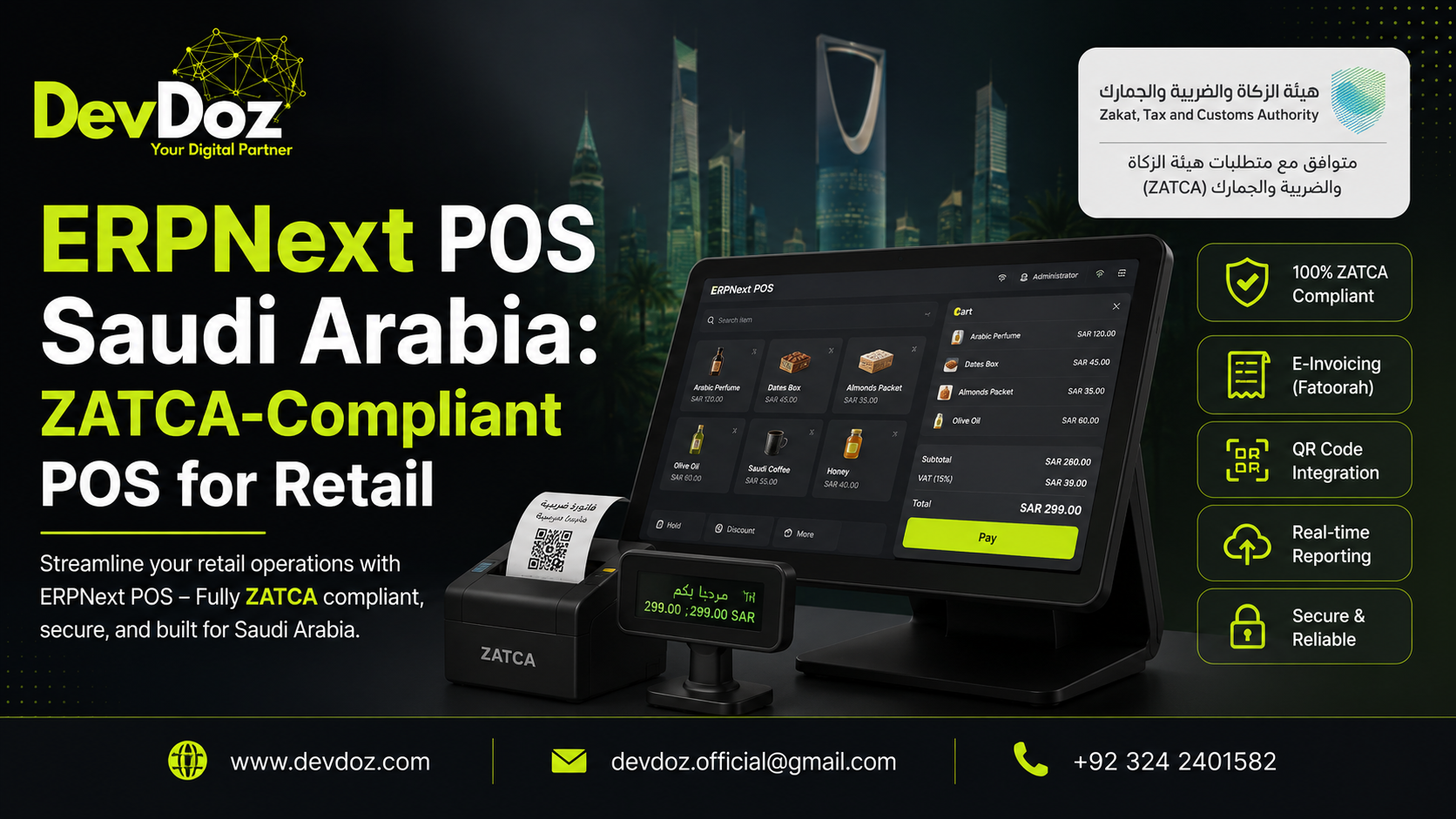
If your business operates retail outlets, restaurants, or any customer-facing sales operation in Saudi Arabia, the regulatory landscape has changed significantly over the past two years — and it will continue to change. ZATCA's e-invoicing mandate, now well into Phase 2, requires businesses to integrate their point of sale and invoicing systems directly with the Fatoora platform in real time. Non-compliance carries penalties ranging from SAR 5,000 to SAR 50,000. The question for most retailers is not whether to get compliant, but which system to get compliant on.
ERPNext POS is an increasingly popular answer to that question, particularly for small and medium businesses across the Kingdom that need a system which is genuinely compliant, fully integrated with their wider business operations, and not burdened by the licensing fees that make enterprise POS systems inaccessible. This guide covers what ERPNext POS offers, what ZATCA compliance actually requires of a POS system, and what to look for when choosing an implementation partner — whether in Riyadh, Jeddah, or anywhere else in KSA.
At DevDoz, we implement ERPNext for businesses across various industries and geographies. If you are evaluating your options for a ZATCA-compliant POS system, the thinking in this article reflects the questions we work through with clients every day.
What ZATCA Phase 2 Actually Requires of Your POS System
Before evaluating any POS solution, it is worth being precise about what ZATCA Phase 2 demands technically. Many businesses have a vague understanding of e-invoicing compliance without knowing the specific requirements their system needs to meet. That ambiguity is risky, because the technical bar is higher than most people expect.
Phase 1 vs Phase 2: the difference
Phase 1, which became enforceable in December 2021, required businesses to generate and store electronic invoices locally in a structured format. This was primarily about producing invoices digitally rather than on paper. Phase 2 — the Integration Phase — goes significantly further. It requires direct, real-time integration between your invoicing or POS system and ZATCA's Fatoora platform.
Under Phase 2, B2B invoices must be cleared through ZATCA before they are delivered to the buyer. B2C invoices — the kind retail POS systems generate — must be reported to ZATCA within twenty-four hours of issuance. The system must generate UBL 2.1 XML format invoices, apply cryptographic digital signatures, produce UUIDs, generate compliant QR codes, and maintain a hash chain that links each invoice to the previous one for tamper-proof audit trail purposes.
Who is affected and when
ZATCA rolls out Phase 2 in waves, based on annual taxable revenue thresholds. As of mid-2026, the rollout has reached Wave 23, which includes businesses with taxable turnover exceeding SAR 750,000 in any of the calendar years 2022, 2023, or 2024, with a compliance deadline of 31 March 2026. Wave 24 and beyond will continue to bring smaller businesses into scope. If your business has not yet been formally notified, it is likely a matter of timing rather than exemption.
The practical implication is clear: if your current POS system was not built with ZATCA Phase 2 integration in mind, retrofitting it is costly and technically complex. The most reliable path is adopting a system that handles compliance natively — and ERPNext, when properly configured for the Saudi market, does exactly that.
What Is ERPNext POS?
ERPNext POS is the point of sale module within the ERPNext open-source ERP platform, built on the Frappe Framework. Unlike standalone POS tools that handle billing in isolation, ERPNext POS is built as part of a connected business system. Every transaction processed through the POS updates inventory levels, generates accounting entries, and feeds into reporting — all without manual reconciliation.
This integration matters more than it might initially seem. A retail business running a standalone POS alongside a separate accounting system is producing two records of every transaction that need to be reconciled. When those two records diverge — which they do, through timing differences, data entry errors, and integration failures — the result is unreliable financial data. ERPNext eliminates that problem by treating the POS as part of the accounting system, not an external appendage to it.
What ERPNext POS handles
The core POS functionality covers billing and invoicing with barcode scanning, real-time inventory management across single or multiple warehouses, payment recording for cash, card, and digital wallet transactions including split payments, customer management and loyalty tracking, returns and refunds, end-of-day closing and cash reconciliation, and detailed sales reporting. For Saudi Arabia specifically, it handles VAT at 15%, generates Arabic-language invoices and receipts, and — when the ZATCA integration is configured — produces compliant e-invoices and submits them to the Fatoora platform.
Offline capability
One of the practical operational realities of retail is that internet connectivity is not always reliable. ERPNext POS includes an offline mode that allows sales to continue processing even when the connection drops. Transactions are queued locally and synchronised automatically with the server once connectivity is restored. For businesses in areas with variable connectivity, or for busy periods where system reliability is critical, this is a meaningful operational protection.
ERPNext POS vs a Traditional Cash Register: Why the Comparison Matters
Many smaller Saudi retailers are still operating on traditional cash registers or basic billing software that was never designed for the level of compliance and integration that modern business operations require. The contrast with a system like ERPNext POS is stark across almost every dimension that matters for a growing business.
A traditional cash register records a sale and stores cash. It has no inventory tracking, no accounting integration, no reporting beyond basic daily totals, and no path to ZATCA compliance. It works as a standalone device, cannot support multiple branches, and produces no data that helps a business owner understand what is actually happening in their operations.
ERPNext POS, by contrast, is a complete operational platform. Every sale updates inventory automatically, eliminating the stockout surprises that come from manual stock tracking. Every transaction generates an accounting record in real time, so the financial picture is always current. Reports covering sales by item, by cashier, by payment method, by time period, and by location are available immediately, not assembled from exports at month-end. Multi-branch operations are managed from a central system with consolidated visibility across all locations.
For a business that is currently on a traditional cash register and approaching a ZATCA compliance deadline, the choice is not just about compliance — it is about building the operational foundation that a growing retail business needs regardless of regulation.
ZATCA Compliance in ERPNext: What the Implementation Covers
ZATCA compliance in ERPNext is not a switch you turn on — it is a configuration that needs to be set up correctly by an implementation partner who understands both the ERPNext platform and the specific technical requirements of the Fatoora integration. Here is what a complete ZATCA-compliant ERPNext POS configuration covers.
VAT calculation and invoice structure
ERPNext's tax framework handles Saudi VAT at 15% natively. Tax rules are configured to apply correctly to different item categories, including VAT-exempt items, zero-rated categories, and standard-rated products. The invoice structure produced by the system includes all mandatory fields required by ZATCA: seller details, buyer details where applicable, VAT registration number, invoice number, date and time, line item breakdown, VAT amount, and total.
QR code generation
ZATCA Phase 1 required a QR code on all simplified tax invoices (B2C transactions). The QR code encodes the seller name, VAT registration number, invoice date and time, invoice total, and VAT amount in a specific TLV (Tag-Length-Value) format. ERPNext generates this automatically when the system is configured for Saudi compliance. Phase 2 adds additional requirements to the QR code content, which are handled in the Phase 2 integration configuration.
Cryptographic digital signatures and UUID generation
Phase 2 requires each invoice to carry a cryptographic digital signature and a UUID (Universally Unique Identifier). The digital signature is generated using a Certificate Signing Request (CSR) that is submitted to ZATCA, which returns a Compliance CSID. This certificate is then used by the system to sign every invoice. The UUID ensures that each invoice can be uniquely identified in ZATCA's records. ERPNext, when integrated with the appropriate ZATCA connector, handles this signing and UUID generation automatically at the point of invoice creation.
Hash chain for audit integrity
ZATCA Phase 2 requires invoices to be linked in a cryptographic hash chain — each invoice references the hash of the previous one, creating a tamper-proof sequential record. If any invoice in the chain is altered after issuance, the chain breaks and the tampering is detectable. This is one of the more technically demanding Phase 2 requirements, and it is one of the reasons that retrofitting legacy systems for compliance is so difficult. A system that implements the hash chain natively, as ERPNext does when properly configured, handles this invisibly in the background.
Fatoora API integration
The actual submission of invoices to ZATCA's Fatoora platform happens through a REST API. For B2C simplified invoices, the system submits the invoice data within twenty-four hours of issuance. For B2B standard tax invoices, clearance happens before the invoice is delivered to the buyer. The integration needs to handle ZATCA's response codes correctly — including retry logic for temporary failures — and maintain a log of submission statuses for audit purposes.
Key Advantages of ERPNext POS for Saudi Retail Businesses
No licensing fees. ERPNext is open-source software released under the GPL v3 licence. There is no per-user fee, no monthly subscription to the base platform, and no additional charge to activate modules. For a small or medium retailer in Saudi Arabia, this represents a significant cost advantage over proprietary POS and ERP platforms. The investment is in implementation, configuration, and support — not in perpetual licensing.
Full Arabic language support. ERPNext supports Arabic as an interface language and produces Arabic-language invoices and receipts. For retail businesses serving an Arabic-speaking customer base, and for staff who are more comfortable working in Arabic, this is a practical necessity rather than a nice-to-have.
Real-time inventory management. Every POS transaction updates stock levels immediately across all configured warehouses. Reorder alerts can be set so that purchase orders are triggered automatically before stock runs out. For businesses managing fast-moving goods across multiple locations, this real-time visibility is the difference between reliable operations and constant firefighting.
Multi-branch management from a single system. ERPNext supports multiple companies, multiple warehouses, and multiple POS profiles within a single installation. A retail chain with ten branches can manage all locations from one system, with consolidated reporting and centralised control over pricing, promotions, and product catalogues.
Integrated accounting. Every sales transaction, every return, every payment — all of it posts to the accounting ledger automatically. There is no reconciliation between the POS and the accounts because they are the same system. Month-end close is faster and more reliable because the accounts are always up to date.
Scalability without system changes. A business that starts with a single POS terminal and ten employees can scale to multiple branches and hundreds of users without switching systems. The configuration grows with the business; the investment in training and customisation is not lost to a platform migration.
Community and ecosystem support. ERPNext has an active global community and a growing network of implementation partners in the Middle East. The Frappe community forum is an active resource for technical questions, and the open-source nature of the platform means that fixes and improvements are contributed by a global developer community, not dependent on a single vendor's roadmap.
Limitations to Be Aware Of
Honest guidance on ERPNext POS for Saudi Arabia requires acknowledging where the platform has limitations, so that businesses can plan for them rather than discover them at an inconvenient moment.
ZATCA integration requires specialist configuration. The out-of-the-box ERPNext installation does not include a pre-configured ZATCA Phase 2 integration. There are community-developed and commercially available Frappe apps that provide this integration, but selecting the right one, testing it against ZATCA's sandbox environment, obtaining the compliance certificate, and completing the go-live process requires technical expertise. A business attempting to self-implement ZATCA compliance in ERPNext without a specialist partner is taking on significant risk.
Hardware compatibility needs to be verified. ERPNext POS is a web-based system that runs in a browser. It works with most standard receipt printers, barcode scanners, and customer-facing displays, but specific hardware configurations need to be tested before deployment. Not every POS hardware peripheral is plug-and-play with ERPNext, and some require custom configuration or bridge software.
Initial setup requires investment. ERPNext is not a tool you install and use the same day. The initial setup — configuring the chart of accounts, item groups, warehouses, tax rules, POS profiles, and ZATCA integration — takes time and expertise. Businesses should plan for a proper implementation process rather than expecting to be operational within hours of installation.
Customisation for highly specific workflows. ERPNext covers the majority of retail workflows natively, but businesses with highly specific operational requirements — unusual pricing structures, complex loyalty programmes, or industry-specific compliance needs — may require custom development. This is achievable on the Frappe platform, but it adds to the project scope and cost.
Industries Using ERPNext POS in Saudi Arabia
ERPNext POS is being used across a wide range of retail and service sectors in Saudi Arabia. The common thread is the need for a connected, compliant, cost-effective system that can handle Arabic language requirements and ZATCA e-invoicing.
Supermarkets and grocery retail benefit from ERPNext's barcode scanning, real-time inventory tracking, and batch expiry management. High-volume, low-margin retail depends heavily on accurate inventory data and efficient checkout processes — both of which ERPNext delivers.
Fashion and apparel retail uses ERPNext's item variant management to handle products with multiple attributes — size, colour, material — without creating separate item records for each combination. Customer management and purchase history tracking support loyalty programmes and personalised service.
Electronics and mobile phone retail requires serial number tracking for warranty and service purposes. ERPNext's serial number management handles this natively, linking each unit sold to a unique identifier that is traceable through the system.
Restaurants and cafes can configure ERPNext POS for table management, kitchen order routing, and the quick-service workflows that food service businesses need. The split payment capability handles the common scenario of parties splitting bills across multiple payment methods.
Pharmacies and healthcare retail benefit from batch tracking and expiry management for medicines, along with the integration between sales, inventory, and financial records that regulatory compliance in the healthcare sector requires.
Choosing the Right ERPNext Implementation Partner in Saudi Arabia
The quality of your ERPNext POS implementation depends heavily on the partner you choose. ZATCA compliance specifically requires someone who has done this before — who knows where the edge cases are in the Fatoora API integration, who has tested their solution in the ZATCA sandbox environment, and who can manage the certification process without the delays that come from learning on your project.
The questions worth asking any potential partner are: Have you implemented ZATCA Phase 2 compliance for other businesses? Can you provide references from businesses in my sector? What happens if there is a validation error or API failure during live operation? What does your post-go-live support model look like, and what are the response times for critical issues?
Implementation quality is what separates a business that goes live on ERPNext and experiences an immediate improvement in operations from one that goes live and spends months firefighting problems that proper planning would have prevented. Our article on why most ERP implementations fail covers the common failure modes in detail, and our 7-stage implementation guide describes what a properly structured project looks like from start to finish.
If you are evaluating ERPNext POS for a Saudi Arabia retail operation — whether for a new setup or a migration from an existing system — get in touch with the DevDoz team. We will walk through your specific situation, the ZATCA compliance requirements that apply to your business, and what an implementation would involve in terms of scope, timeline, and investment.
You can also read our broader guide on switching to ERPNext for the full picture of what the platform offers beyond the POS module, and our AI automation guide for how businesses are extending their ERPNext systems with intelligent workflow automation.
Frequently Asked Questions
Related Resources
Tags
Share this article
Related Articles
Explore our latest insights, tutorials, and updates from the DevDoz team.
Is Your Business Ready for the Future? A Practical Guide to Switching to ERPNext
Discover why hundreds of growing businesses are leaving fragmented tools behind and moving to ERPNext — and how DevDoz makes that transition smooth, fast, and cost-effective.
Why Most ERP Implementations Fail — And It Has Nothing to Do with the Software
Businesses spend months evaluating ERP software, then blame the software when the project struggles. The real causes of ERP failure are almost always people, process, and planning — and they are completely preventable if you know what to look for.
The 7 Stages of ERPNext Implementation: A Step-by-Step Guide for Businesses
Most ERPNext projects that struggle do so because they skip stages, rush through them, or treat them as formalities. This is a clear, honest walkthrough of every phase — what happens, why it matters, and what goes wrong when it is done poorly.