Frappe v15 vs v16: Key Differences, What's New, and Should You Upgrade?
Frappe Framework v16 shipped in December 2025 with roughly double the performance, a completely redesigned interface, and architectural changes that affect every custom app built on the platform. This is a clear, honest comparison of what changed, what improved, what broke, and whether the upgrade makes sense for your business right now.
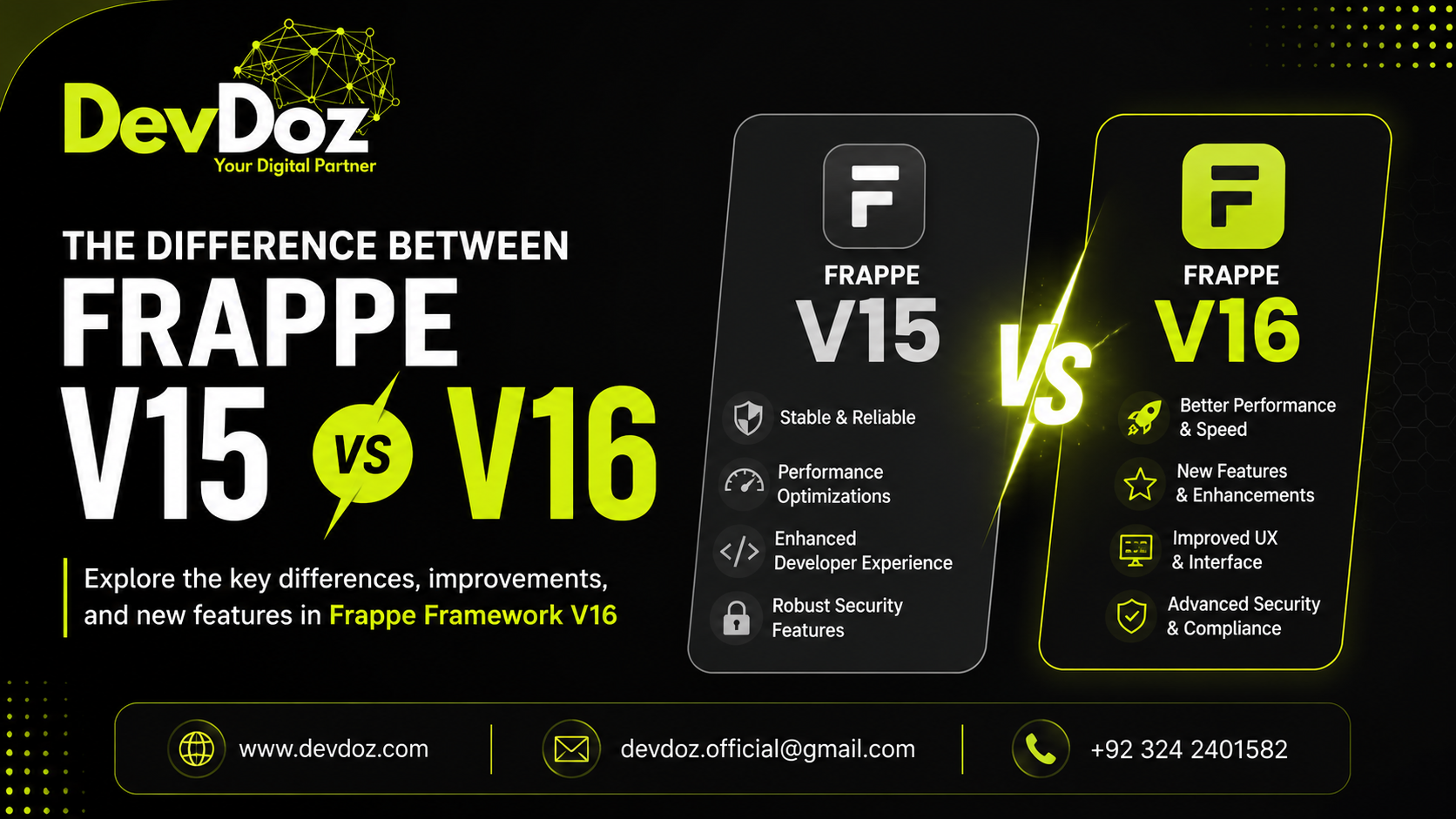
If your business runs on ERPNext, HRMS, or any custom application built on the Frappe Framework, the release of Frappe v16 in December 2025 is relevant to you — whether you choose to upgrade now or not. This is not a minor patch. Frappe v16 is the most significant release since the v12 to v13 transition, and the decisions it introduces affect everything from daily user experience to how custom code is structured and maintained.
This article is written for two audiences: business owners and operations managers who want to understand what the upgrade means for their organisation in practical terms, and developers and implementation partners who need the technical picture. We have structured it so both can find what they need without wading through what they do not.
At DevDoz, we have been working with the Frappe ecosystem across ERPNext implementations for years, and we have evaluated v16 closely since its beta release. This comparison reflects real-world assessment, not a rewrite of the official release notes.
What Is Frappe Framework and Why Does This Version Matter?
Before getting into the comparison, it is worth being precise about what Frappe Framework actually is, because the terminology creates confusion. Frappe is the open-source, full-stack web framework that ERPNext is built on. Think of it as the engine inside the car. When Frappe gets faster, ERPNext gets faster. When Frappe's interface is redesigned, every application built on it — ERPNext, Frappe HRMS, and your custom apps — inherits that redesign. The two are released together and are version-locked: ERPNext v16 runs on Frappe Framework v16.
This matters because an upgrade from v15 to v16 is not just an ERPNext update. It is a platform migration. Custom apps built on Frappe v15 need to be tested — and in some cases updated — before they will behave correctly on v16. That is one of the central considerations this article addresses.
The final stable release of Frappe v16 was announced on December 6, 2025 at Frappeverse Egypt, following a beta period that began on November 15, 2025. As of mid-2026, it is the current production version and the basis for all new implementations.
Performance: The Single Biggest Change in v16
The headline improvement in Frappe v16 is performance, and it is not an incremental gain. The Frappe team rebuilt core components of the framework under a project called Frappe Caffeine, with speed as the primary design goal. The result is approximately twice the performance of v15 across most operations.
What got faster
Page load times are significantly improved, particularly for complex forms with many fields and calculated values. Reports that took ten to fifteen seconds to generate in v15 now load in five to seven seconds on comparable hardware. For large datasets — tens of thousands of records — the improvement is more dramatic still. List view rendering, API response times, and database query patterns have all been optimised, and the gains compound across a full working day.
The Frappe team achieved this through a combination of optimised JavaScript bundling, reduced redundant database queries, improved caching strategies, streamlined rendering pipelines, and better memory management. These are architectural improvements to the core framework, not surface-level tweaks, which means they apply broadly rather than to specific operations.
What this means for your business
For a business running v15 with fifty or more users, or with high transaction volumes, the performance improvement in v16 is noticeable in daily use. An inventory team reviewing fifteen thousand stock items, an accounts team generating monthly consolidated reports, a warehouse processing hundreds of goods receipts per day — all of these workloads run meaningfully faster on v16. The cumulative time saved across a team over a month is substantial.
v15 in comparison
Frappe v15 is a stable, mature version that handles typical business workloads reliably. Its performance limitations only become significant at scale — large datasets, high concurrent user counts, complex custom reports. For smaller businesses with modest data volumes, the v15 performance is adequate and the difference with v16 will be less dramatic in practice.
User Interface: A Complete Redesign in v16
Frappe v16 ships with a completely redesigned interface. This is not a theme change or a colour palette update — it is a ground-up rebuild of the workspace, navigation, and core UI components. The Frappe team has described it as the biggest visual overhaul since version 12.
The v16 workspace
The desktop (the home screen users see when they log in) has been rebuilt with a modern layout that prioritises information density and reduced navigation depth. Module cards show key metrics and provide quick access to common tasks without requiring the user to navigate into the module first. Layouts are customisable, so users can organise their workspace around the modules they use most frequently. The global search is faster and more accurate, and a command palette gives power users keyboard-driven access to any feature instantly.
List views
List views — where users see tables of invoices, customers, items, or any other document type — have received substantial improvements. Columns are now resizable and scrollable. Virtually unlimited fields can be added to a list view without performance degradation, because the rendering engine uses virtualisation to only process visible rows. Large datasets that previously caused sluggish scrolling are now smooth and responsive.
Child tables
Long child tables — the inline tables within documents like the line items on a purchase order or the components in a bill of materials — can now scroll horizontally, with sticky columns keeping important fields visible as you scroll. This was one of the most frequently requested improvements from users who manage complex, multi-column data entry tasks.
v15 interface in comparison
The v15 interface is functional and familiar to anyone who has used Frappe-based applications over the past few years, but it shows its age against modern web application standards. List views have fixed column widths and limited horizontal scrolling. The workspace navigation requires more clicks to reach frequently-used functions. Child tables become unwieldy at larger row counts. None of these are dealbreakers, but the cumulative friction adds up across a full day of use.
Developer Experience: What Changed for Custom App Builders
For developers building and maintaining custom applications on the Frappe platform, v16 introduces several important changes alongside the performance and UI improvements.
Role and permission management
One of the most significant structural changes in v16 is the improved role assignment model. Previously, assigning multiple roles to a user in a way that reflected complex permission requirements often required creating Role Profiles or workarounds. In v16, multiple roles can be assigned directly, which reduces the clutter in permission setups and makes user management more straightforward for administrators.
Custom print formats for reports
In v15, custom print formats could be created for documents (invoices, purchase orders, delivery notes) but not for Script Reports. v16 changes this — you can now create multiple custom print formats for reports as well, giving significantly more flexibility in how data is presented to different audiences. A business that needs to produce a consolidated stock report in one format for the operations team and a different format for management now has native tools to do that without custom development.
Navigation and URL structure
The URL structure in v16 has changed meaningfully from v15. This matters for any application that uses hardcoded URL paths, for bookmarks, and for any external integrations that call Frappe pages by URL. Any custom app that relies on v15 URL patterns needs to be updated for v16 compatibility. This is one of the less-discussed but practically important changes for teams running custom development on top of Frappe.
Offsite Backup app
The remote backup functionality that was built into earlier versions of Frappe has been extracted into a separate Offsite Backup app in v16. This is a breaking change for any business that relies on automated remote backups — after upgrading to v16, the Offsite Backup app must be separately installed and configured. Missing this step means backups stop running silently, which is a significant operational risk if it goes unnoticed.
Python version requirements
Frappe v16 drops support for older Python versions. If your server environment is running an older Python version for compatibility with other applications, this needs to be addressed before upgrading. The minimum Python version required for v16 is higher than for v15, and this prerequisite check should be part of any upgrade planning.
Frappe v15 vs v16: Feature Comparison at a Glance
| Area | Frappe v15 | Frappe v16 |
|---|---|---|
| Performance | Stable, adequate for moderate workloads | ~2× faster via Caffeine architecture |
| Workspace UI | Functional, traditional layout | Completely redesigned, modern interface |
| List views | Fixed columns, limited field count | Resizable, scrollable, unlimited fields |
| Child tables | Horizontal scroll limited, no sticky columns | Full horizontal scroll, sticky columns |
| Report print formats | Documents only | Documents and Script Reports |
| Role assignment | Required Role Profiles for multiple roles | Direct multiple role assignment |
| Remote backups | Built into core framework | Separate Offsite Backup app required |
| URL structure | v15 URL patterns | Updated URL structure — breaking change |
| Python support | Supports older Python versions | Requires newer minimum Python version |
| Custom app compatibility | Native v15 ecosystem | Most apps compatible with minor updates |
| LTS status | Mature, stable, security updates ongoing | Current active release |
Advantages of Frappe v16
Viewed honestly, v16 is a genuinely strong release. The improvements are substantive rather than cosmetic, and they address problems that real users have experienced with v15 for years.
Performance that changes the daily experience. The roughly two-times speed improvement from the Caffeine architecture is not a marginal gain — it changes how the system feels to use, particularly for teams working with high data volumes or complex reports. This is the kind of improvement that gets noticed by every user on day one of the upgrade, not just by developers running benchmarks.
A modern interface that reduces training time. The redesigned workspace is intuitive enough that new employees can become productive faster. The cleaner layout, better navigation hierarchy, and improved module cards reduce the cognitive overhead of working in the system for long periods. For businesses with high staff turnover or frequent onboarding, this has a real training cost benefit.
List views that actually handle large datasets. The resizable, scrollable, unlimited-column list views solve a genuine usability problem that affected teams doing data-heavy work in v15. Inventory managers, accounts teams, and purchasing staff who previously had to export data to spreadsheets to get a useful view of their records can now do that work inside ERPNext.
Report flexibility. The ability to create custom print formats for Script Reports — not just documents — opens up reporting options that were previously only achievable through custom development. This matters for businesses that produce regular reports for multiple audiences in different formats.
Cleaner permission management. The improved role assignment model makes user administration less complex. For businesses with fine-grained permission requirements, this saves time during both initial setup and ongoing user management.
Active development and long-term support. v16 is the current active release. All new features, security updates, and bug fixes from the Frappe team are landing on v16. v15 will continue to receive critical security patches for a period, but the development focus has shifted. Starting a new implementation on v15 today means planning an upgrade sooner rather than later.
Disadvantages and Risks of Frappe v16
A balanced assessment requires being equally clear about the risks and limitations of v16, particularly for businesses considering an upgrade from a stable v15 installation.
Custom app compatibility requires verification. The changes to URL structure, rendering logic, and internal framework behaviour in v16 mean that custom apps built for v15 need to be tested thoroughly before an upgrade. Most will work with minor changes, but the testing process is not trivial, particularly for complex custom applications. Businesses with significant custom development on v15 should budget meaningful time for compatibility assessment and updates before upgrading.
The Offsite Backup change is a hidden operational risk. The extraction of remote backup functionality into a separate app is a sensible architectural decision, but it creates a risk for businesses that upgrade without being aware of it. If the Offsite Backup app is not installed post-upgrade, automated backups silently stop running. This is not a flaw in the software — it is a transition detail — but it is the kind of thing that causes serious problems if missed. Any upgrade plan must explicitly include this step.
Server environment prerequisites need checking. The higher Python version requirement for v16 means that server environments running older Python versions for compatibility reasons need to be updated. In complex hosting environments with multiple applications sharing infrastructure, this may not be a straightforward change. Checking server prerequisites before committing to an upgrade timeline is essential.
The interface change requires user adjustment. The redesigned workspace is better by most measures, but it is different from what v15 users know. Teams that have been using v15 for years will find that familiar navigation paths have changed. This is not a significant barrier — most users adapt within a day or two — but it requires communication and, for larger teams, some retraining investment. The upgrade should not happen without advance notice to users and some guidance on what has changed.
Early v16 bugs in complex setups. As with any major framework release, the first months of v16 production use surfaced edge-case bugs that the beta testing period did not catch. By mid-2026 the stable release is well-tested, but businesses with highly complex configurations, unusual custom integrations, or edge-case workflows should test in a staging environment before upgrading production — and should not rush the upgrade if their current v15 installation is stable and their operations are running smoothly.
Third-party apps not yet on v16. Some third-party Frappe applications had not completed their v16 compatibility work at the time of the initial release. If your setup depends on a specific third-party app, verifying its v16 compatibility before upgrading is important. The situation is improving steadily as the community updates its tooling, but it is worth checking.
Should You Upgrade from v15 to v16 Now?
This depends primarily on two factors: the complexity of your current v15 setup and the degree to which the v16 improvements address problems you are actually experiencing.
Upgrade now if: You are starting a new ERPNext implementation — there is no reason to start on v15 in 2026. You are running v15 with significant data volumes and experiencing performance limitations. You have mostly standard ERPNext configuration with minimal custom development. Your users are frequently complaining about the interface or the list view limitations. You have the server environment and technical capacity to manage the upgrade properly.
Wait or plan carefully if: You have a stable v15 installation running complex custom applications that have not yet been tested on v16. Your operations team is in the middle of a critical business period where any disruption would be costly. You are dependent on a third-party Frappe application whose v16 compatibility you cannot confirm. You do not have a staging environment to test the upgrade before it hits production.
Do not upgrade without: A tested backup strategy that accounts for the Offsite Backup app change. A staging environment where the full upgrade has been tested end-to-end. Compatibility testing for all custom apps and integrations. A rollback plan if critical issues surface post-upgrade. Communication to all users about the interface changes they will encounter.
At DevDoz, we manage v15 to v16 upgrades for clients as a structured process with each of these steps in place. An upgrade that is planned properly typically takes one to three weeks from assessment to production go-live, depending on the complexity of the existing setup. One that is rushed typically takes longer — because the problems discovered mid-upgrade require investigation and resolution that would have been caught by proper preparation.
If you are considering upgrading and want an honest assessment of what it would involve for your specific setup, get in touch with the DevDoz team. We will review your current configuration, identify the compatibility risks, and give you a realistic timeline and scope before you commit to anything.
You can also read our related guides on switching to ERPNext for businesses evaluating the platform for the first time, our breakdown of why ERP implementations fail for the full picture of what makes a migration succeed or struggle, and our 7-stage implementation guide for how a properly structured ERPNext project is run.
Frequently Asked Questions
Tags
Share this article
Related Articles
Explore our latest insights, tutorials, and updates from the DevDoz team.
Is Your Business Ready for the Future? A Practical Guide to Switching to ERPNext
Discover why hundreds of growing businesses are leaving fragmented tools behind and moving to ERPNext — and how DevDoz makes that transition smooth, fast, and cost-effective.
Why Most ERP Implementations Fail — And It Has Nothing to Do with the Software
Businesses spend months evaluating ERP software, then blame the software when the project struggles. The real causes of ERP failure are almost always people, process, and planning — and they are completely preventable if you know what to look for.
The 7 Stages of ERPNext Implementation: A Step-by-Step Guide for Businesses
Most ERPNext projects that struggle do so because they skip stages, rush through them, or treat them as formalities. This is a clear, honest walkthrough of every phase — what happens, why it matters, and what goes wrong when it is done poorly.