Automate Your Business with ERPNext in 5 Steps: The Definitive Operational Playbook
Automating fragmented business processes doesn't require multi-million dollar corporate systems. Discover our proven, 5-step operational framework to successfully implement ERPNext automation, remove manual data entry, and scale clean workflows across your entire enterprise architecture.
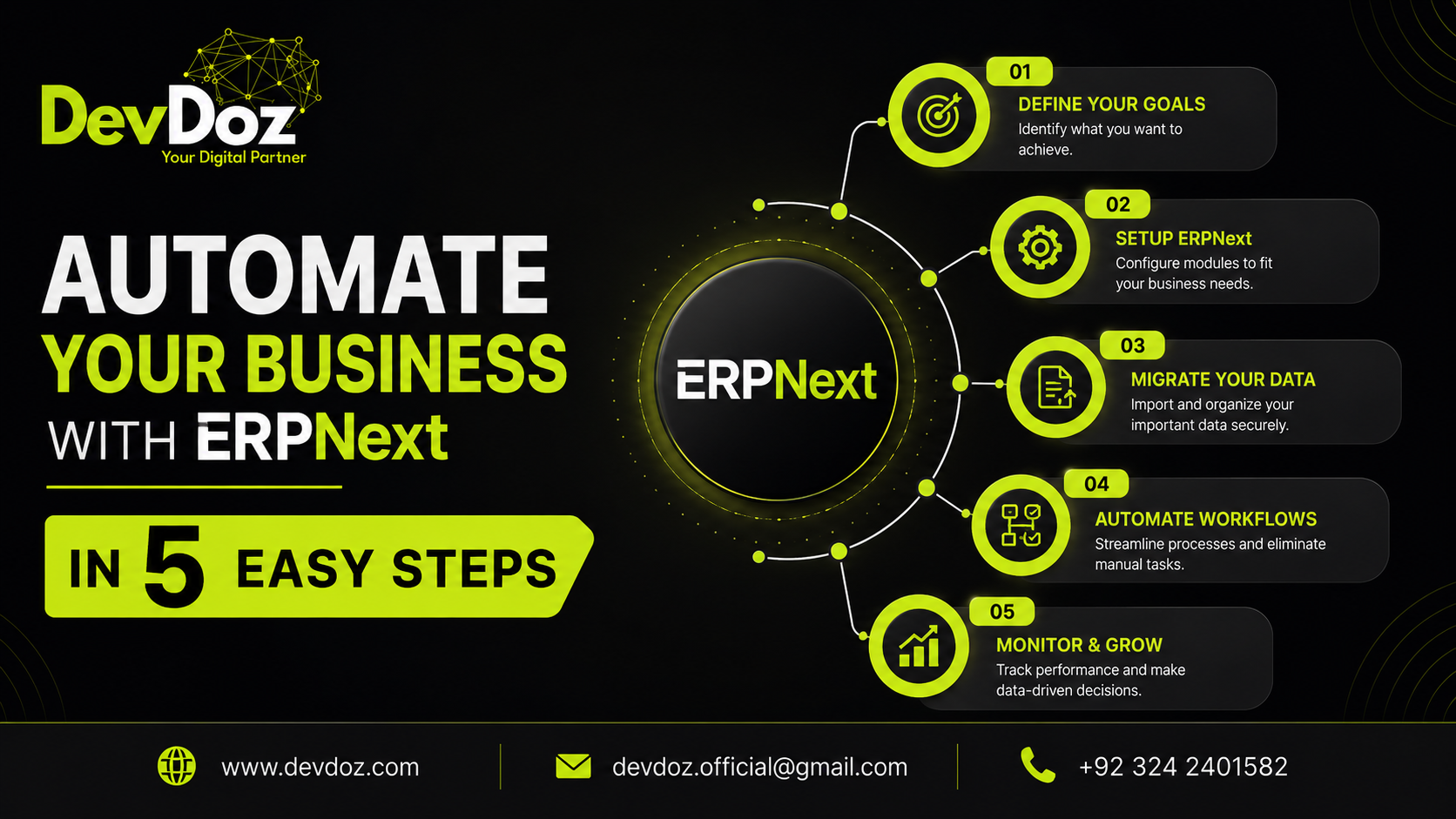
Automating fragmented business processes doesn't require multi-million dollar corporate systems. Discover our proven, 5-step operational framework to successfully implement ERPNext automation, remove manual data entry, and scale clean workflows across your entire enterprise architecture.
When a business reaches a certain transaction volume, manual operational overhead shifts from a minor annoyance to an active threat to growth. You see it in the daily friction: sales reps waiting on the warehouse to confirm stock availability, accounts payable departments manually matching vendor invoices against physical delivery notes, and managers drowning in an endless chain of approval emails. Most leaders recognize that automation is the only escape route from this administrative bottleneck. However, the path to automation is frequently overcomplicated by bloated legacy platforms and expensive custom-coded software integrations that fracture over time.
The alternative is structural, platform-driven automation. By using ERPNext—the world's most versatile open-source enterprise resource planning platform—built on top of the robust Frappe Framework, companies can centralize their data and workflows into a single system. True operational automation is not about executing a broken process faster; it is about establishing clear digital rules that govern data flow across your entire organization without requiring constant human intervention.
At DevDoz, we focus on engineering clean, scalable ERPNext implementations that replace messy spreadsheet handoffs with automated platform logic. Based on our deployment experience across diverse business models, we have codified a dependable, 5-step strategic playbook to automate your core business operations using ERPNext.
Step 1: Map Your Core Workflows and Identify System Transitions
The single most frequent mistake in automation projects is attempting to write system configurations before explicitly defining operational rules. If you automate an unoptimized, chaotic business workflow, you simply end up with a high-speed, automated chaotic workflow. Therefore, the first step is a rigorous operational audit.
Begin by tracing how data travels through your company. When a customer places an order, what exact milestones must occur before that transaction transforms into a revenue entry on your balance sheet? Identify the manual transition points—the handoffs where data is downloaded from one software tool and manually entered into another. These friction points are the primary targets for ERPNext automation.
During this mapping phase, establish your absolute business rules. For example, determine the maximum discount a sales representative can provide before an order requires executive authorization, or define the minimum threshold for standard inventory stock before an automated purchase request should be initiated. Documenting these parameters ensures that when you configure DocTypes and automated workflows inside ERPNext, the platform rules accurately mirror your ideal business governance.
Step 2: Deploy Infrastructure and Establish Your Master Data Foundation
Automation relies entirely on clean, centralized information. If your customer profiles, product SKUs, and accounting charts are inconsistent across different tools, automated triggers will consistently fail. Step two is about creating a rock-solid system foundation on production-ready infrastructure.
First, ensure your environment is deployed correctly. ERPNext runs on Linux and is managed via Frappe Bench. For production stability, avoid under-provisioned servers; opt for high-availability cloud hosting (such as AWS, DigitalOcean, or Vultr) tailored to your concurrent user requirements. Once the environment is live, establish your primary accounting structure—the Chart of Accounts. This forms the foundation for all financial automation within the system, ensuring that every automated operational event accurately triggers its corresponding double-entry accounting transaction.
Next, clean and import your foundational master data:
- Item Master: Consolidate all products, variants, and raw materials. Assign specific attributes, SKU codes, units of measure, and default warehouse locations.
- Customer & Supplier Registries: Clean up duplicates, establish default credit terms, assign tax templates, and record historical balances.
Step 3: Automate the Lead-to-Order Conversion Pipeline
With your structural foundation in place, focus automation efforts on revenue generation: the sales funnel and customer relationship management (CRM) system. Manual sales pipelines often lose momentum due to delayed follow-ups and uncoordinated communications.
ERPNext automates this transition by treating customer interactions as a continuous flow. Instead of managing leads inside a separate isolated CRM app, configure ERPNext to ingest inquiries directly from web forms, e-commerce stores, or external marketing channels. Once a lead enters the system, deploy automated Assignment Rules to instantly distribute opportunities to your sales representatives based on territory, workload, or product specialty.
As the opportunity progresses, your team can generate professional quotations directly from the CRM module with a single click. Because the pricing engine pulls directly from your centralized Item Master and active price lists, the system eliminates errors caused by outdated quotes. When the customer confirms the deal, the quotation transitions into a formal Sales Order instantly. This event triggers an automatic verification of the customer's credit limit and real-time inventory allocation in the warehouse, entirely removing the need for manual confirmation emails between sales and operations teams.
Step 4: Configure Rule-Based Inventory and Procurement Controls
For operations dealing with physical stock, inventory mismanagement represents significant tied-up capital or costly stockouts. Step four solves this problem by embedding automated inventory and procurement logic deep within your warehouse workflows.
Inside the ERPNext Inventory module, define explicit Auto Reorder Levels for critical SKUs. When stock drops below your configured threshold due to a delivery note or point-of-sale transaction, the platform's automated replenishment engine triggers immediately. Instead of waiting for a warehouse manager to run a manual stock count, the system automatically creates a Material Request or a draft Purchase Order addressed to your primary supplier.
For manufacturing environments, this automation is driven by the Bill of Materials (BOM). When a Production Order is finalized, ERPNext reviews your raw material inventory across all locations. If components are missing, it handles the shortfalls by generating purchasing requests automatically. This systematic tight integration between sales demand, current warehouse balances, and purchasing execution ensures your business maintains optimal lean inventory levels while eliminating procurement delays.
Step 5: Enforce Multi-Level Financial Approvals and Audits
The final step ensures that as your operations run faster through automation, your financial controls and audit transparency scale along with them. System automation must never mean sacrificing security or oversight.
Using the native **Workflow Manager** inside the Frappe Framework, build multi-stage approval matrixes tailored to your operational structure. For instance, any Purchase Order exceeding a specific monetary threshold can be dynamically routed into a multi-tier authorization track, moving from a department manager to the finance director sequentially. The system restricts changes to documents while they are pending approval, sending automated notification alerts directly to the designated approver's dashboard.
Furthermore, eliminate manual invoice verification by introducing automated three-way matching. When a supplier invoice is recorded, ERPNext cross-references it against the original Purchase Order and the formal Purchase Receipt issued by your warehouse team. If prices or quantities deviate beyond your pre-configured tolerance levels, the system flags the invoice and halts payment automation. If the match is perfect, the document submits smoothly, creating automated journal entries that keep your financial reporting completely accurate and audit-ready in real time.
Achieving Long-Term Digital Maturity
Transitioning from fragmented, disconnected spreadsheets to a fully automated enterprise platform like ERPNext is a major operational milestone. However, successful system automation requires ongoing dedication. Technology works best when your team is fully trained and understands why the system enforces specific operational boundaries. Over time, as transaction data flows through your centralized system, you can build rich analytical dashboards to identify new bottlenecks and further optimize your business rules.
If you are ready to stop managing your operations through manual workarounds and want to deploy high-impact, dependable automation, our engineering team is here to help. Explore our practical analysis of how ERPNext helps your business grow and scale, read our breakdown of the 7 stages of ERPNext implementation, or study our tactical guide on avoiding the top 5 ERP implementation mistakes to set clear expectations for your project.
At DevDoz, we specialize in translating complex business operations into clean, maintainable Frappe and ERPNext workflows. Avoid generic configurations and high-risk setups. Connect with the DevDoz implementation team today to schedule an in-depth operational review and begin building a scalable, automated architecture for your enterprise.
Frequently Asked Questions

Ali Husnain
Frappe ERPNext Specialist & Tech Lead @ DevDoz
Muhammad Ali Husnain specializes in Frappe ERPNext architecture, custom doctype development, and AI process automations for enterprise clients across Pakistan, Saudi Arabia, and the UAE.
Tags
Share this article
Related Articles
Explore our latest insights, tutorials, and updates from the DevDoz team.
The 7 Stages of ERPNext Implementation: A Step-by-Step Guide for Businesses
Most ERPNext projects that struggle do so because they skip stages, rush through them, or treat them as formalities. This is a clear, honest walkthrough of every phase — what happens, why it matters, and what goes wrong when it is done poorly.
ERP Implementation Failure: 5 Common Mistakes That Sink Projects — and How to Avoid Them
Most ERP projects that fail do not fail because the software was wrong. They fail because of five predictable, avoidable mistakes made in planning, execution, and people management. This is a clear-eyed breakdown of each one — and exactly what to do differently.
How ERPNext Helps Your Business Grow and Scale — Without Changing Systems Again
Most businesses hit a growth ceiling not because they run out of customers or ideas, but because their systems cannot keep up. ERPNext is built specifically to remove that ceiling — here is exactly how it does it, across every part of your operation.